No Installation. No Registration. Completely Free.
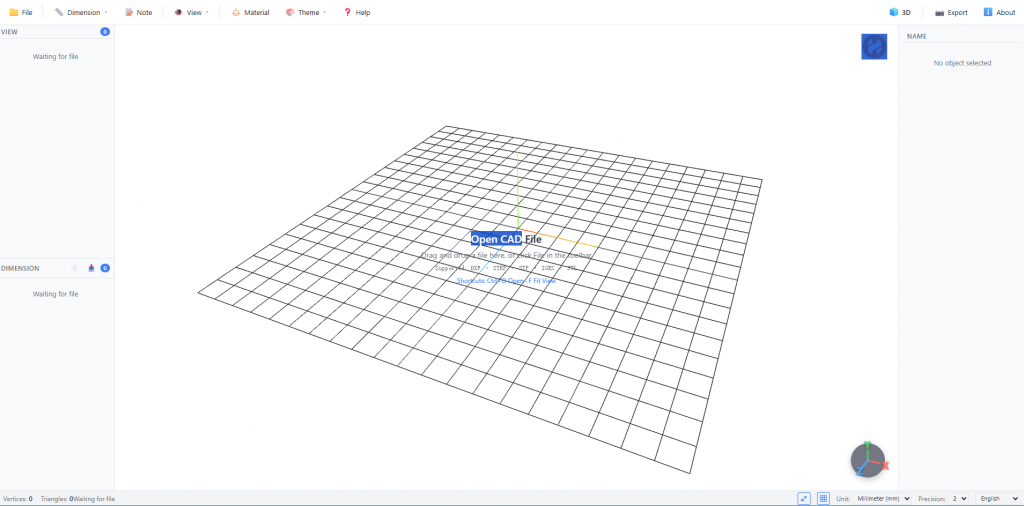
You can watch and learn about the features of this software through the YouTube video link below.
https://youtu.be/r9rE0FtuokU
https://youtu.be/wyF2azw2PY8
Should you find this beneficial, you may download it from one of the two links provided below.
https://drive.google.com/drive/folders/1hg9Ma0rYJ8ibFKUnRi4qrR8pn9a_vFDS?usp=sharing
or
https://www.hky-technik.com/Calculation_tool/webcad/WEBCAD-v3.7z
Overview
Our free web-based CAD viewer is a powerful browser-based tool that lets you open, view, annotate, and measure 2D and 3D CAD files instantly — without downloading any software, creating an account, or paying a cent. Whether you’re an engineer, designer, architect, or manufacturer, simply drag and drop your file into the browser and start working immediately.
All processing happens locally in your browser. Your files never leave your device, ensuring complete privacy and security.
Supported File Formats & Size Limit
Our viewer supports a wide range of industry-standard CAD formats:
| Format | Description |
|---|---|
| DWG | AutoCAD Drawing — the most widely used 2D CAD format |
| DXF | Drawing Exchange Format — open CAD interchange format |
| STEP / STP | ISO 10303 STEP — neutral 3D CAD exchange format |
| IGES / IGS | Initial Graphics Exchange Specification — neutral CAD interchange |
| STL | Stereolithography — standard format for 3D printing and CAD meshes |
File size limit: For optimal performance and stability, the viewer supports files up to approximately 300 MB. Larger files may fail to load or cause performance degradation. We are continuously working to improve handling of bigger models.
Key Features
📐 Dimension Annotation
Add precise dimension annotations directly onto your models. Mark up designs with linear, angular, radial, and aligned dimensions to communicate specifications clearly.
📏 Measurement Tools
Measure distances, angles, and coordinates with smart snapping to vertices, edges, and faces. Get accurate real-world measurements in both metric and imperial units.
⚖️ Mass Properties & Weight Calculation
Calculate volume, and estimated weight based on material properties. Essential for engineering analysis, manufacturing planning, and 3D printing cost estimation.
🔄 Full 3D Interaction
- Orbit, pan, and zoom — navigate models freely in 3D space
- Section planes — slice through models to inspect internal geometry
- Layer management — show or hide layers to isolate specific components
- Exploded views — visualize assembly structures
🖊️ Markup & Annotation
Add arrows, rectangles, circles, and text annotations with full undo/redo support. Perfect for design reviews and collaborative feedback.
📸 Export & Share
Export high-quality PNG screenshots of your current view. Share designs with colleagues via link — recipients see your exact view, layers, and measurements.
Why Choose Our Viewer?
| Advantage | Benefit |
|---|---|
| 100% Free | No subscription, no hidden fees, no credit card required |
| No Installation | Works in any modern browser — Chrome, Firefox, Safari, Edge |
| No Registration | Open and view files instantly — no account needed |
| Privacy First | Files processed locally in your browser — nothing uploaded to our servers |
| Cross-Platform | Works on PC, Mac, tablet, and smartphone |
| Fast & Reliable | Optimized for files up to 40 MB — load and interact in seconds |
Get Started in Seconds
- Open our viewer in your browser
- Drag and drop your CAD file (DWG, DXF, STEP, IGES, STL, or STP) — up to ~40 MB
- Start viewing, measuring, annotating, and analyzing instantly